Sweaty forearms, sticky mousepads, and sore arms ruin long sessions. Gaming arm sleeves step in to keep movement smooth, support muscles, and protect skin.
Gamers wear arm sleeves to reduce friction on the mousepad, control sweat, support blood flow, protect skin from desk edges, and keep aim more consistent in long gaming sessions, especially in fast first-person shooters and competitive esports.
Comfort and performance are connected. This article explains why gamers wear arm sleeves, how they work, the main styles, and how players and brands can choose the right designs.
Why do gamers wear arm sleeves?
Long sessions mean hot rooms, sweaty skin, and random resistance between your arm and the desk. That combination makes aim and comfort hard to control.
Most gamers wear arm sleeves because bare skin sticks, sweats and hurts. A gaming sleeve adds a smooth, dry and padded layer between your arm and the desk, so aim feels more stable and long sessions feel less painful.
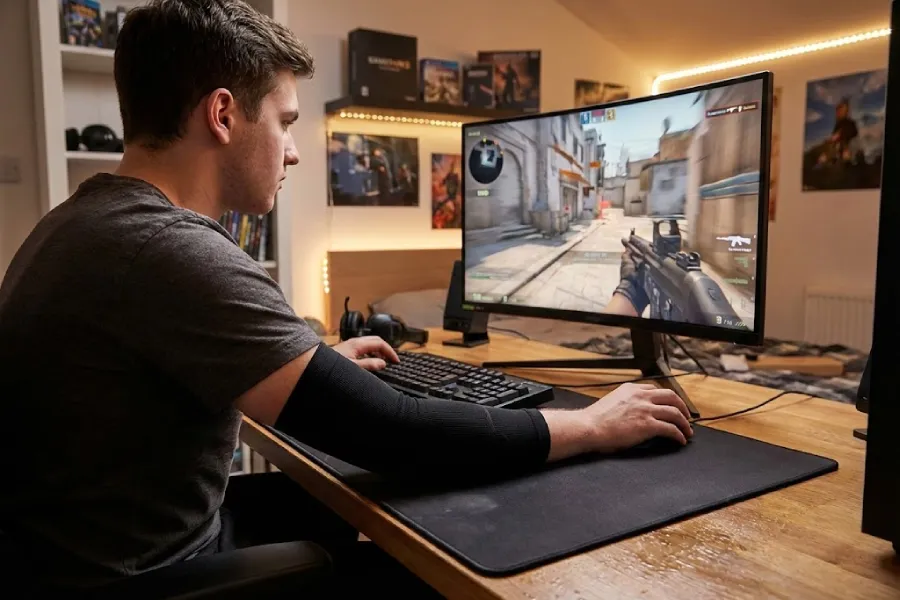
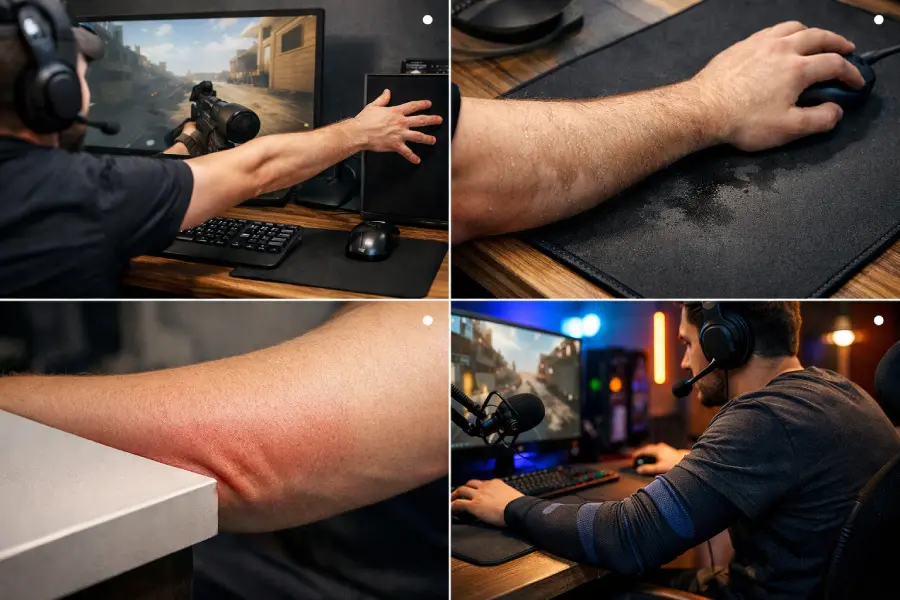
Sweat is usually the first problem. During a ranked grind or a hot LAN, your forearm starts to sweat on the cloth pad or bare desk. That sweat soaks into the surface and creates sticky patches. Your arm glides easily in one area and slows down in another. Aim feels “off”, even if your sensitivity and mouse have not changed. Tests and reviews point out that mouse arm sleeve give a more even glide and cut down this random drag.
Friction is the second problem. Skin on cloth or wood does not move the same way all the time. Humidity, hair and tiny skin changes shift the feel from round to round. A sleeve replaces that unstable contact with a tight, smooth fabric that behaves more predictably across the pad. Brands and gamers agree that this standardised glide is one of the main reasons sleeves caught on.
Then there is pain and irritation. Many players rest their arms on a sharp table edge. After a few hours, they see a red groove on the skin or feel tingling. A sleeve adds a soft, padded layer that spreads the pressure over a bigger area. That simple change can turn a three-hour block from “I need to stop” into “one more game”. You might be wondering if this is only for pros. The truth is, the same physical problems show up for casual and high-level players. Pros just met them earlier, under louder lights.
How do gaming arm sleeves actually work?
Even small changes in friction change how your crosshair lands. Gamer arm sleeve tries to remove as many of those variables as possible.
Gaming arm sleeves work by giving your arm a smooth synthetic surface that reduces drag on the mousepad, pulling sweat away from the skin, and adding gentle compression that supports blood flow and reduces fatigue during repeated movement.
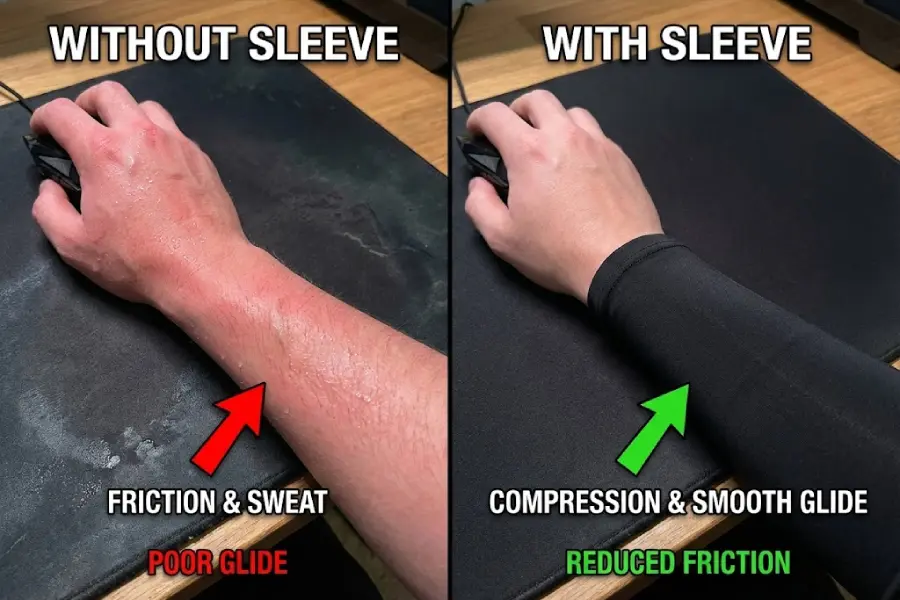
Friction – turning random drag into predictable glide
Bare skin on a cloth mousepad reacts to sweat, hair and humidity. At the start of a session your arm might slide well. After an hour in a warm room, the same movement feels heavy and slow.
A gaming sleeve uses a smooth polyester or nylon blend on the outside. This fabric has a lower and more stable friction level. It reduces the “stick and slip” effect and makes your arm movement feel more repeatable. That helps your muscle memory line up with what you see on the screen.
Moisture – keeping sweat away from the pad
The inside of the sleeve sits against your skin. The yarns and knit pattern move moisture away from the surface of the skin and into the fabric. That sweat then spreads across a larger area and evaporates more quickly.
The benefit is two-fold:
- Your forearm feels drier and less sticky.
- Less sweat reaches the pad, so the pad surface stays closer to its original feel.
This matters a lot if you live in a humid area or play under lights.
Compression – gentle support for a busy mouse arm sleeve
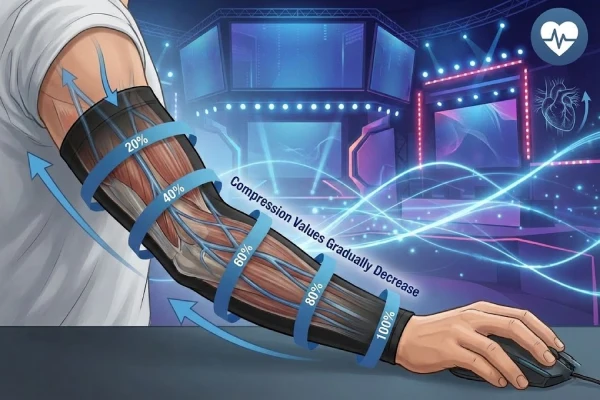
Light compression is the third piece of the puzzle. The sleeve is cut slightly smaller than your arm, so it gives a mild squeeze along the forearm and sometimes the upper arm.
That gentle pressure:
- Helps veins move blood back toward the heart.
- Reduces small muscle vibrations during repeated micro-movements.
- Can reduce the feeling of a “heavy” or “swollen” arm after long gaming blocks.
Here is the deal. For gaming, you want light and comfortable compression, not a medical brace. If the sleeve feels painful, leaves deep marks, or makes fingers tingle, the size or pressure is wrong for you.
What types of gaming arm sleeves do players use?
Once you understand why gamers wear arm sleeves, the next question is which style fits your habits. Not every player needs a full basketball-style sleeve.
Common gaming sleeve types include full-length arm sleeves, shorter forearm sleeves, thumb-hole sleeves that reach onto the hand, and finger sleeves for mobile esports, each tuned to different setups and comfort needs.
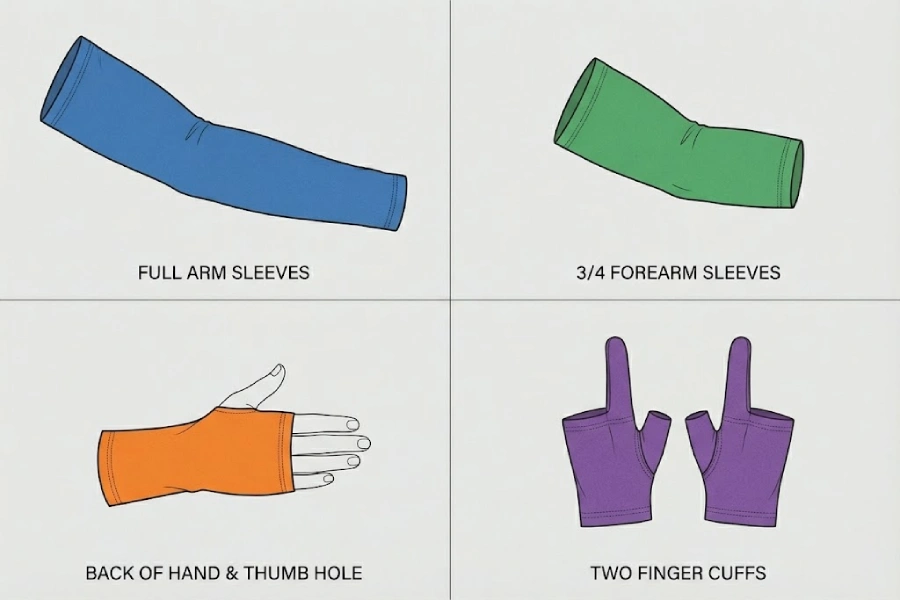
Quick comparison of gaming sleeve types
| Type | Coverage | Main feel in game | Good fit for |
|---|---|---|---|
| Full-length arm sleeve | Upper arm to wrist | Strong support, a bit warmer | Low-sens FPS, cool rooms, long sessions |
| Forearm / 3/4 sleeve | Around elbow to wrist | Light, cool, still protects desk contact | Most PC gamers, everyday play |
| Thumb-hole / hand sleeve | Over back of hand with thumb | Very secure, changes mouse shell feeling | Players who rest hand on pad a lot |
| Finger sleeves (mobile) | Thumb or index on touchscreen | Better grip and swipe control on screens | Mobile shooters and rhythm games on phones |
Full-length vs forearm sleeves
Full-length sleeves cover the upper arm, elbow and forearm. They keep everything warm and supported. This style stays in place well and suits players who use large arm movements or who feel discomfort near the elbow.
Forearm sleeves start near the elbow and focus on the region that touches the desk edge and pad. They feel lighter and cooler. For many PC gamers, this design gives most of the benefits with less fabric and less heat, which makes it a popular first choice.
Hand coverage and finger sleeves
Thumb-hole sleeves extend onto the back of the hand. They lock the sleeve in place and add fabric under part of the palm or little finger. Some players love the stable feel; others notice that the mouse shape feels different. A short test session usually shows which group you are in.
Finger sleeves serve a different platform. Mobile players wear them on their thumbs or index fingers. They reduce sweaty grip problems on glass and help touch input feel more stable. If your main issue is sliding on a phone, finger sleeves make more sense than full arm sleeves.
If you already use arm sleeves for running or other sports, you can sometimes use them for esports as well. Gaming-specific designs adjust the outer fabric and seam positions to suit mousepads and desks, but the core idea is similar.
Who should consider wearing a gaming arm sleeve?
Here is what most people miss: the value of a sleeve depends more on your playstyle and environment than on your rank. A casual player in a small, hot room can need a sleeve more than a pro in a perfectly cooled studio.
| Player type/situation | What your setup looks like | Why a gaming arm sleeve is a good match |
|---|---|---|
| Low-sens FPS player | Large arm movements across the mousepad | Reduces arm drag and makes aim glide more consistent |
| Forearm sticks to the pad | Humid room, cloth pad feels sticky after some matches | Adds a smooth layer so sweat does not change friction so much |
| Sharp desk edge | Hard front edge leaving red lines or discomfort on skin | Adds padding and spreads pressure along the arm |
| Long ranked / scrim sessions | Several hours of back-to-back games with few real breaks | Light compression and smoother contact reduce fatigue and irritation |
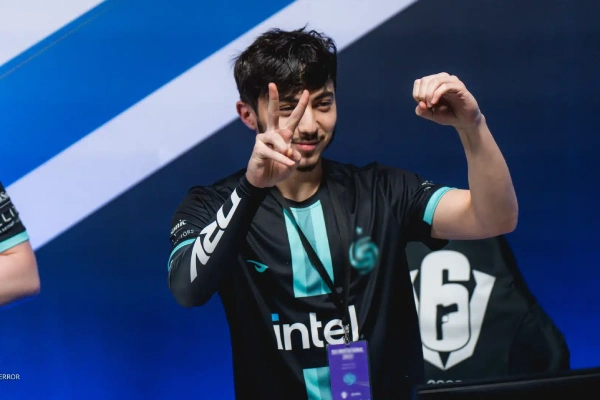
| Streamers / LAN & stage players | Bright lights, hot environment, cameras on you | Helps control sweat, stabilise glide and keep a clean on-screen look |
Pros and streamers wear sleeves because they need stable, predictable glide in harsher conditions than a normal home setup. Those same benefits carry over to everyday players who recognise themselves in the situations above.
Are gaming arm sleeves allowed in tournaments and events?
If you play offline events, you might worry that sleeves count as unfair gear. This concern is common before local LANs and online qualifier finals.
Standard gaming arm sleeves are usually allowed in esports tournaments because they are treated as clothing, not as active devices, as long as they contain no electronics and the graphics follow event sponsor rules.
Tournament rulebooks focus on two main areas: competitive integrity and sponsor rights. Competitive rules ban cheats, macros and hardware that changes inputs. A fabric sleeve does not send signals to the game, does not automate movement and does not store data. It simply changes how your arm touches the desk, like a long-sleeve jersey would.
Sponsor rules control what logos appear on stage. If a sleeve shows a brand that is not an approved sponsor, staff may ask players to cover that logo with tape or change to a neutral sleeve. This already happens with jerseys, shoes and mousepads, so sleeves follow the same pattern.
For you as a player, this means:
- Plain or team-approved sleeves are usually fine.
- Sleeves with large third-party logos might need tape or a backup option.
- Bringing two versions (one branded, one neutral) is a safe plan for bigger events.
Teams that want to hand out custom sleeves to players can work with factories to design event-friendly layouts. Logos can sit in safe zones and follow typical size rules, so players get comfort and branding without last-minute surprises.
How can you choose gaming arm sleeves that fit your market?
Once you understand why gamers wear arm sleeves and which players benefit from them, the question for brands and distributors is different:
Which sleeve designs will actually sell in your channels and be easy to manage in your supply chain?
Instead of thinking only in sizes (S / M / L), it helps to think in terms of player segments × key benefits and then build a focused product line around that.
Start from player segments, not just size labels
Different gamers buy sleeves for different reasons. You can map those reasons to specific features:
| Target segment | Typical setup & pain points | Recommended sleeve features |
|---|---|---|
| PC FPS/esports players (low sens) | Large arm movements, need stable glide, sweat on cloth pads | Forearm or full-length sleeve; smooth low-friction outer fabric; light compression |
| Variety PC & console gamers | Mixed titles, long casual sessions, some desk-edge pressure | Forearm sleeve; balanced glide (not too slippery); moderate compression |
| Streamers & esports teams | Hot lights on stage, on-camera look, different venues and tables | Forearm or full-length; very consistent glide fabric; custom colours/logos |
| Mobile & tablet gamers | Sweaty thumbs, inconsistent touch on glass | Finger sleeves as core SKU; optional matching arm sleeves for brand image |
| Office + gaming users | All-day mouse use, irritation on desk edge, evening gaming sessions | Forearm sleeve; softer inner feel; clean, neutral colours for daily wear |
For most markets, one or two core sleeve constructions can cover several segments. What changes is mainly:
- Length (forearm vs full-length)
- Outer surface friction (smoother vs more controlled)
- Compression level (light vs moderate)
- Design (neutral vs team/graphic styles)
OEM / ODM Gaming Sleeves for Brands and Distributors
If you are a brand or distributor, at some point, “buying generic sleeves” is not enough. You want products that match your players, your channels and your brand story.
What can be customised for the Esports arm sleeve?
- Construction: forearm or full-length, with or without thumb-hole, with or without padding or extra panels.
- Fabric & performance: outer glide level (standard vs extra-smooth for FPS), inner comfort, cooling vs support focus.
- Compression & sizing: light or moderate compression, size range tailored to your main markets.
- Branding: logos (print, heat transfer, woven or rubber patches), colourways, team colours, IP or creator graphics.
- Packaging: e-commerce friendly bags, retail boxes, event packs or gift sets.
Our team can recommend suitable constructions, fabrics and a size breakdown and prepare a first quotation and sampling plan. For a detailed explanation of MOQ tiers, sampling and production timelines, quality control and shipping options, see our in-depth guide: Complete OEM/ODM sports support manufacture guide. If you are ready to develop your own line, explore our Custom Arm Sleeve Manufacturer page for gaming, sports and compression sleeve programs.
Conclusion
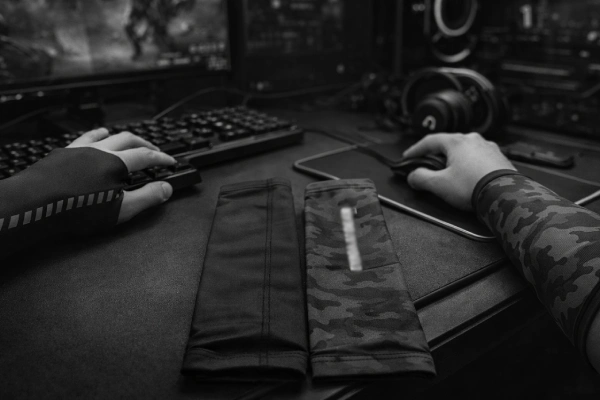
Gamers wear arm sleeves to solve real problems at the desk: unstable friction, sweat on the mousepad and pressure from the desk edge. The right sleeve makes arm movement more consistent and long sessions more comfortable, whether you are a casual player, a ranked grinder or a competitive esports athlete.
If you are a brand or distributor exploring gaming sleeves for your market, reach out to our team to discuss tailored OEM/ODM solutions.
FAQs
Do gaming arm sleeves actually help, or are they just for looks?
Gaming arm sleeves are more than cosmetic. They give your forearm a smoother, more consistent glide, manage sweat so the pad stays predictable, and add light compression for comfort. Many players, especially low-sens FPS users, report steadier aim and less irritation over long sessions.
Why do gamers wear sleeves on only one arm?
Mostly the mouse arm sleeve, because that arm slides on the pad and hits the desk edge. Covering just that side solves friction and pressure issues without adding extra warmth or fabric where it is not needed, so the keyboard arm stays free.
Can a gaming sleeve help with arm pain or fatigue?
A sleeve can ease mild discomfort from friction, desk-edge pressure and light fatigue by smoothing contact and adding gentle compression. It is not a medical treatment, though. Ongoing, sharp or spreading pain still needs proper assessment from a doctor or physiotherapist, not just new gear.
What material is best for a gaming arm sleeve?
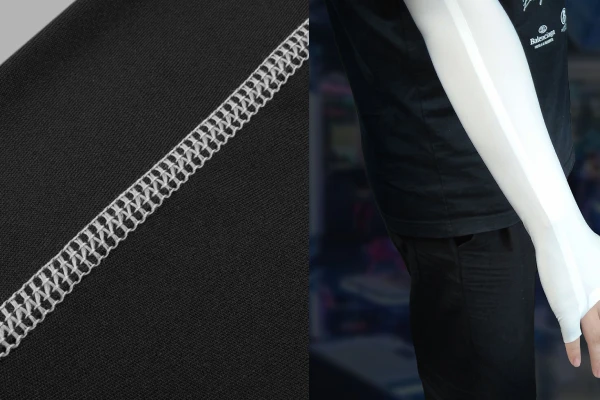
Most gaming sleeves use thin polyester or nylon with spandex. This blend stretches well, wicks sweat, and gives a smooth outer surface that glides on cloth or glass pads. Avoid thick seams or heavy prints in the main contact area, because they can catch.
Can brands or teams create custom gaming sleeves with their own logo?
Yes. Many brands, teams and creators work with OEM/ODM factories to create custom gaming sleeves with their own colours, logos and graphics. You can start from proven base patterns and fabrics, then adjust design and packaging to match your market, roster or community.