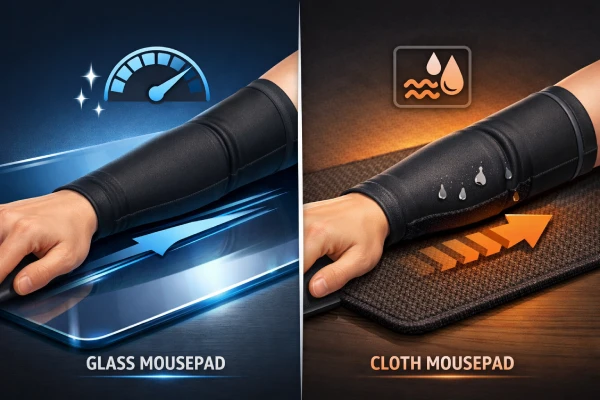
Glass mousepads feel fast—until sweat or skin oils make your forearm “grab.” Cloth pads feel controlled—until humidity turns them muddy. If your aim feels inconsistent from one session to the next, your sleeve fabric and construction are often the hidden variable.
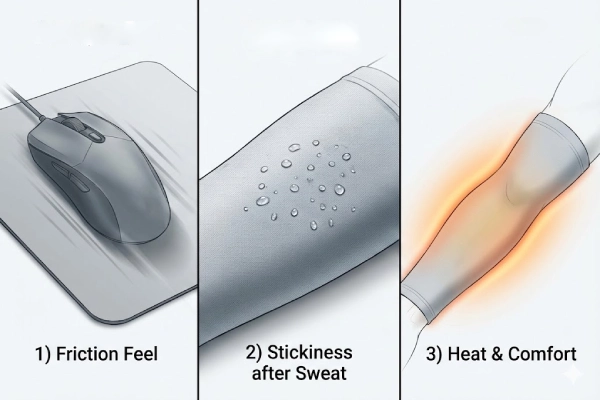
This guide explains how to choose the right gaming sleeve for a glass mousepad (including SkyPAD-style pads) versus a cloth mousepad sleeve, using three factors that actually change glide during gameplay:
- Friction feel (speed vs control)
- Stickiness after sweat (wet-state stability)
- Heat and comfort (long-session wear)
Why do glass pads and cloth pads need different sleeve fabrics
A gaming sleeve doesn’t interact with just the mousepad. In most desk setups, there are two contact zones:
- Sleeve outer surface ↔ mousepad
- Sleeve ↔ desk edge/desktop (often where friction problems feel the worst)
Glass mousepads: “small changes feel big”
Glass pads are consistent and hard—so tiny changes in moisture, seam feel, or surface finish can feel amplified. Your goal isn’t only “low friction.” It’s low + predictable friction for repeatable aim.
Cloth mousepads: “weave compatibility matters”
Cloth pads vary by weave and texture (control cloth, speed cloth, hybrid). Your goal isn’t always maximum speed. It’s avoiding snagging, avoiding micro-stutter, and preventing the sleeve from turning into a “wet towel” that drags more as you sweat.
The 3 factors that decide the right sleeve for your pad
Friction feel: speed vs stable glide
- Glass pad target: low friction with a smooth, linear glide (no micro-stutter)
- Cloth pad target: stable glide that doesn’t “hook” or “bite” into the pad texture
Stickiness after sweat: wet-state stability
A sleeve that feels great when dry can become tacky when damp.
- Glass pad target: dampness should not cause sudden “grab” or “stop-start”
- Cloth pad target: avoid big drag spikes and avoid an outer surface that holds moisture against the pad
Heat and comfort: long-session wear
If the sleeve traps heat, you sweat more—and friction changes faster.
- Glass pad target: cool feel + stable glide as you warm up
- Cloth pad target: comfort + quicker-dry feel without becoming heavy or overly absorbent on the outside
How to choose a gaming sleeve for glass mousepads (SkyPAD-style)
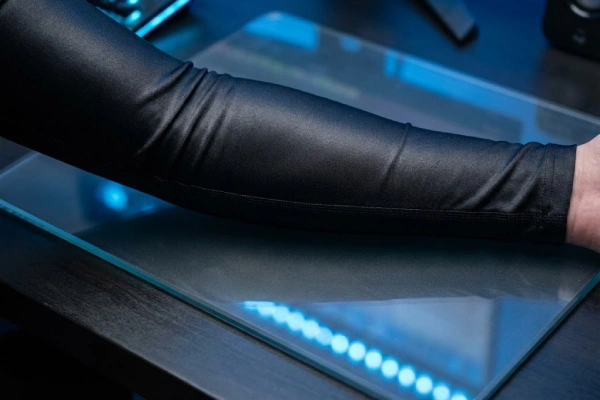
For a gaming sleeve for a glass mousepad, prioritize these three build targets:
Very smooth outer surface (low fuzz)
Glass surfaces don’t hide changes in friction. A slick, low-fuzz outer face reduces random drag and helps keep glide consistent.
Low “seam presence” in the contact zones
On glass, seam bumps can feel like tiny speed bumps. Look for:
- Low-profile seams and clean edge transitions
- No scratchy labels in the sweep zone
- Seam placement away from where your wrist and forearm travel most
Stable feel when slightly damp
You don’t need “waterproof.” You want small changes in feel when your arm gets warm or sweaty.
If you want the “why” behind sleeve use in gaming in general, you can also read Why Do Gamers Wear Arm Sleeves? on our site.
How to choose a cloth mousepad sleeve
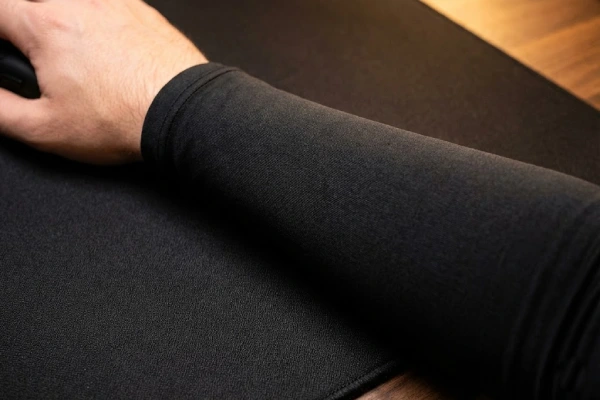
For a cloth mousepad sleeve, focus on weave compatibility and moisture management:
Anti-snag outer face
Many cloth-pad issues come from the sleeve surface “catching” the pad texture. Choose an outer face that is:
- Smooth
- Low fuzz
- Low pilling risk (pills can snag pad weave)
Damp stability (avoid “wet towel drag”)
The best cloth-pad sleeves aim for a build where:
- The skin side feels comfortable and manages sweat
- The pad side stays consistent and doesn’t become sticky or overly absorbent
Cuff and edge stability
If a sleeve bunches near the wrist/forearm, friction changes mid-swipe—especially on textured cloth. If your sleeve shifts during play, you’ll likely find Why Do Arm Sleeves Slide Down? Causes & Fixes helpful.
Quick comparison table: glass vs cloth sleeve targets
| What you care about | Glass mousepad sleeve target | Cloth mousepad sleeve target |
|---|---|---|
| Primary goal | Low + predictable glide | Stable glide + anti-snag |
| Sweat behavior | Damp changes stay small | Avoid drag spikes + avoid “wet towel” outer face |
| Seams/labels | Near-invisible | Smooth wrist transition + no bunching |
| Surface interaction | Small changes feel big | Weave compatibility matters most |
| Best build direction | Smooth outer face + clean seams | Smooth outer face + moisture-smart inner face |
A 3-minute at-home test to choose the right sleeve
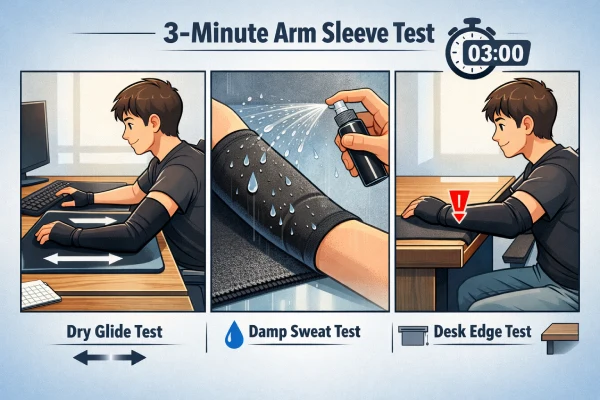
You can test sleeve behavior without special tools:
- Dry glide test (10 identical swipes)
Repeat the same long swipe 10 times. If you feel tiny ticks, check seam lines, labels, or cuff edges. - Slightly damp test (2 swipes)
Lightly dampen your forearm (not dripping). If drag suddenly spikes, that fabric/finish is likely moisture-sensitive on your pad type. - Desk-edge test
Put your forearm where it normally touches the desk edge. If it catches there, you’ll feel it in-game even if pad glide seems fine.
If you’re unsure about sizing and sleeve length for your setup, check How to Wear Arm Sleeves and Measure for the Right Fit.
Common problems (and what they usually mean)
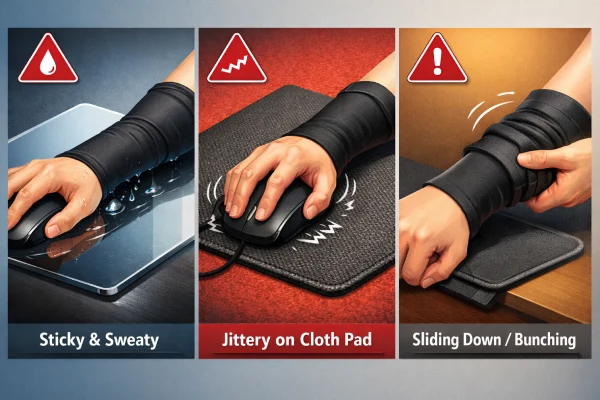
“My sleeve is fast at first, then gets sticky”
- On glass: prioritize damp stability and low seam feel
- On cloth: check outer-face absorbency and fuzz level
Also consider cleaning your pad and desk edge—oil film can change glide fast.
“My sleeve jitters on cloth pads”
Often it’s pad weave compatibility, not sizing. Try a smoother, lower-fuzz outer face.
“My sleeve slides down or bunches”
That creates friction spikes. A better cuff design and correct sizing help. For a quick sizing check, see How Tight Should an Arm Sleeve Be? A Simple Fit Test.
For brands: spec two SKUs (glass vs cloth) for clearer reviews and better performance
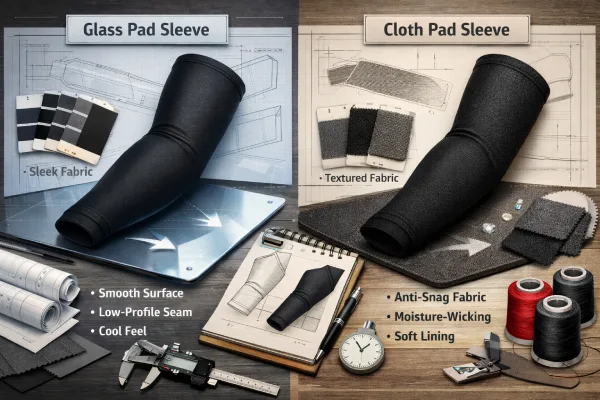
If you’re developing a gaming sleeve line, the cleanest approach is to build two core SKUs:
Glass Pad Optimized Sleeve (for glass mousepads like SkyPAD/Wallhack)
For glass pads, the goal isn’t only “fast”—it’s low, linear glide that stays predictable from the first swipe to the last round. Because glass surfaces amplify tiny changes, this sleeve should use a very smooth, low-fuzz outer face that doesn’t introduce random drag, and it should remain stable even when your forearm becomes slightly damp. Construction matters just as much as fabric: clean seam transitions, tagless or non-contact labeling, and a contact-zone layout that avoids any bumps help prevent micro-stutters that competitive players can feel immediately.
Cloth / Hybrid Compatible Sleeve (for cloth pads and textured hybrids)
For cloth and hybrid pads, the biggest enemy isn’t speed—it’s snagging and wet-state drag spikes. This sleeve should be designed to “play nice” with pad weave by using a smooth outer face that resists catching texture and avoids fuzz/pilling, which can create jitter during slow aim adjustments. At the same time, comfort across long sessions depends on moisture behavior, so the most reliable direction is a moisture-smart inner face that manages sweat without turning the whole sleeve into a heavy, damp layer. The end target is simple: consistent glide on textured surfaces, plus a dry-feeling wear experience that doesn’t degrade mid-session.
If you’re planning custom prints, team branding, or private label supply, you can explore our custom arm sleeve OEM/ODM options and our complete OEM/ODM sports support manufacturing guide.
FAQs
Do I need a gaming arm sleeve for a glass mousepad (SkyPAD/Wallhack style)?
Not always, but many glass-pad users add a sleeve to reduce skin contact and keep glide more predictable as sweat and oils build up. Forums commonly describe wrist/palm “sticking” over time, even when the pad feels fast initially.
Why does my arm sleeve stick or feel “grabby” on a cloth mousepad?
Cloth pads have texture, and some sleeve surfaces can catch the weave—especially once damp. Players often report “jitters” during precise tracking when sleeve fabric and pad texture don’t match. A smoother, low-fuzz outer face usually improves consistency.
What fabric works best for a gaming sleeve on a glass mousepad?
Look for a very smooth, low-fuzz synthetic knit that stays consistent when slightly damp, plus low-profile seams. Brands that target glass pads explicitly position their sleeves as “best with glass mousepads,” emphasizing friction control and consistency.
Why do seams and tags matter more on glass pads than cloth pads?
Glass surfaces can make tiny bumps feel like micro-stutters. Many users notice distractions from seam edges, labels, or cuff transitions during wrist sweeps. That’s why “bonded seams” and tagless designs are commonly marketed for glass-pad sleeves.
My wrist sticks on a glass pad even with a sleeve—what should I check first?
Check whether the sticky contact is actually your palm/wrist edge touching the pad outside the sleeve coverage. Many forum posts mention wrist/palm sticking more than forearm sticking. A longer coverage style (palm/finger-long) can help isolate that area.
Do gaming sleeves slow you down on cloth mousepads?
They can, depending on texture match and moisture. Some sleeves feel smooth on one pad and “muddy” on another, especially in long sessions. The goal for cloth isn’t maximum speed—it’s avoiding snag and keeping drag stable as humidity changes.
How do I stop my sleeve from causing “jitters” during slow tracking?
Jitters usually come from micro-catching: seam edges, cuff bunching, or fuzz grabbing pad texture. Try a smoother outer face, rotate the sleeve so seams avoid the sweep path, and ensure the cuff sits flat without rolling during vertical movements.
Is humidity really the reason my arm starts sticking to the mousepad mid-game?
Often, yes. Community threads repeatedly point to sweat and humidity as triggers for “arm sticking,” especially over longer sessions. When moisture increases, friction can rise and become less predictable, which is why sleeves and airflow/cleaning are common fixes.