Your gaming sleeve feels smooth on one pad and slow on another. That usually points to a contact problem, not a useless sleeve.
A gaming sleeve can still feel slow because fabric glide is only one part of the setup. Mousepad texture, forearm pressure, sweat, worn contact zones, and play style can all change how the sleeve moves. In many cases, the sleeve is only exposing a mismatch that was already there.
You notice it in real use. One session feels clean and easy. The next one feels sticky, dry, or heavy. That shift usually comes from the surface, the contact path, or the way your arm is loading the pad. Once you separate those causes, the problem gets much easier to fix.
Why can the same gaming sleeve feel different from one mousepad to another?
The same sleeve can glide well on one pad and still feel wrong on another. That does not mean the sleeve changed.
The short answer is surface interaction. A gaming sleeve does not move across a perfect flat layer. It moves across weave, texture, dust, sweat film, and worn zones. That is why one setup can feel light and another can feel slow, even when the sleeve is the same.
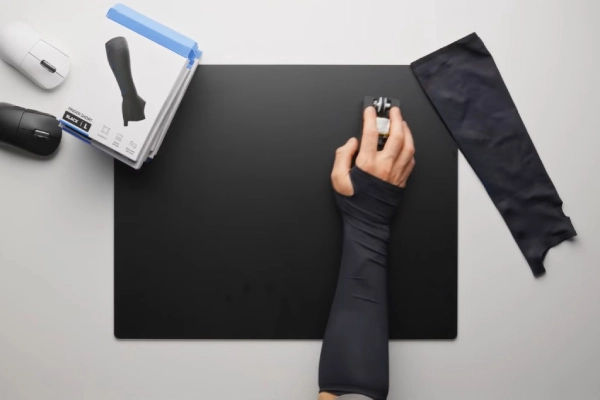
Players often use one word for two different feelings. One is a sticky start. Small aim corrections feel harder to begin. The other is heavier movement after you are already moving. Long swipes take more effort. Both get described as slow, but they do not come from the same trigger.
That difference matters because the fix depends on the symptom. If the setup feels bad during tiny corrections, the problem is usually at the start of movement. If it feels heavy during wider swipes, the problem often sits in the moving contact itself. Here’s the deal… if you do not separate those two feelings, you can easily blame the wrong part of the setup.
A broader explanation of sleeve use can help before you judge surface behavior too quickly. If you want that baseline first, read why gamers wear arm sleeves. That gives the bigger picture. This article stays focused on why the feel can still go wrong on certain pads.
Mousepad surfaces that tend to feel slower with a sleeve
A pad can feel quick under the mouse and still feel rough under your forearm. Those are related, but they are not the same contact path.
The pattern is simple: more texture usually means more sleeve feedback. That does not always mean bad performance. It means the surface is more likely to change how the sleeve feels, especially during longer arm movement.
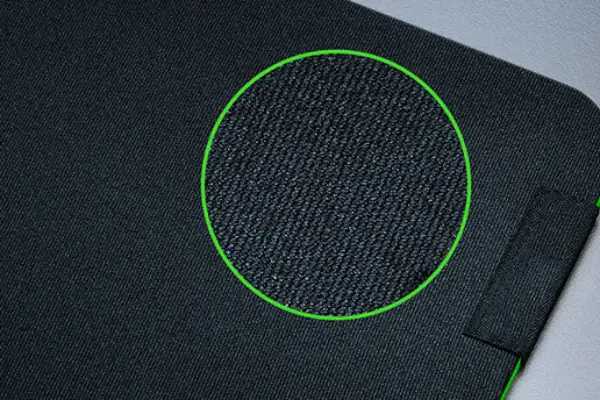
Many players group cloth pads together as one feel, but that is too broad for sleeve use. Some cloth surfaces feel soft and even. Others feel drier, rougher, or more structured once your forearm starts moving across them. A low-sens player who uses bigger arm motion will notice those differences much faster than a player who aims mostly with the wrist.
Wear also changes the result. The center of a used pad often feels slower than the outer zones because it has taken more sweat, oil, and pressure over time. That means a sleeve can feel inconsistent on one pad without anything changing in the sleeve itself. The surface can become the moving variable.
Hybrid and harder pads can create even more mixed feedback. The mouse may feel fast, but the forearm may not feel equally free. That split creates the familiar complaint: the setup sounds fast, but still feels heavy in real use. This is one reason players say a pad feels fast and slow at the same time.
If your main question is how surface category changes sleeve behavior, compare gaming arm sleeve behavior on glass vs cloth mousepads. That article goes deeper into surface type. This one stays centered on why the same sleeve still feels wrong in actual play.
Why do pressure, sweat, and session conditions make sleeve drag worse?
A sleeve can feel fine at the start of a session and worse later. Often, the sleeve is not the part that changed first.
The biggest triggers are forearm pressure, skin oil, and moisture buildup. As those increase, the same mousepad can start to feel slower, heavier, or more inconsistent, even when the setup looks unchanged.
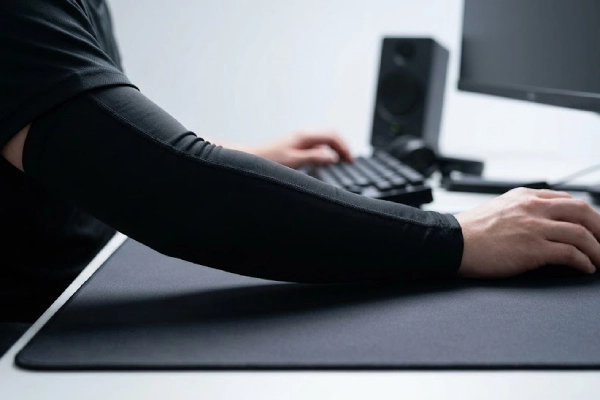
The harder you press, the more contact you create. More contact usually means more resistance. That becomes easier to notice during tense tracking, wide swipes, or stressful rounds. A sleeve that feels light during relaxed movement can start to feel heavy once the forearm settles harder into the pad.
This is why some players only notice the problem during serious play. Quick casual testing may not show much. Once the arm anchors harder and movement becomes more forceful, the sleeve starts to feel slower. If you also think pressure and hold are part of the issue, it helps to compare compression vs non-compression gaming sleeve differences. That gives a clearer frame for how fit and pressure feel can change the experience.
Sweat and skin oil matter just as much. They do not need to be obvious to change the contact zone. A thin film on the pad can make the sleeve feel sticky, uneven, or suddenly slower. Dust and small fibers make that worse because the sleeve is no longer moving against a clean surface. It is moving against a dirty layer that changes friction from swipe to swipe. Here’s what most people miss… the sleeve can look fine while the real problem is sitting on the pad.
Start-stop movement often makes the issue easier to notice. Some setups feel okay while you are already moving but feel wrong as soon as you stop and start again. That shows up most during small aim corrections, not wide swipes. One part of the motion feels normal. The next part feels stuck. That is why players can describe the same setup in conflicting ways and still both be right.
Is the drag really coming from the sleeve, the mousepad, or the rest of the setup?
When a setup feels muddy, it is easy to blame the sleeve first. That is often too fast.
You get clearer answers by separating arm contact, mouse glide, and play-style pressure before you replace gear. That keeps the diagnosis simple and helps you fix the real source instead of the easiest target.
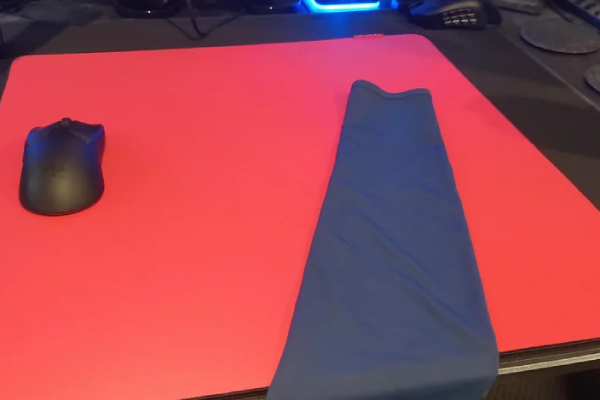
Start with a basic test. Move your forearm across the pad while paying attention to the arm contact, not the mouse. Then test the mouse glide on its own. If the forearm feels rough but the mouse still feels normal, the sleeve-to-pad interaction is the likely problem. If the arm feels fine but the setup still feels muddy, the issue may be more on the mouse side or in the way the surface is behaving under the mouse.
Play style changes what you notice, too. A player who uses larger arm movement will usually notice forearm drag sooner than someone who relies more on the wrist. The sleeve may feel fine in one game and much more noticeable in another, even on the same desk and same pad. That is why aiming style should stay part of the diagnosis. If you want to compare those movement patterns more directly, read arm sleeve differences between FPS and MOBA setups.
The best test method is simple. Use one sleeve on two different mousepads. Then try the same pad with lighter and heavier forearm pressure. After that, clean the contact zone and test again. The truth is… changing one variable at a time gives you cleaner answers than swapping everything at once. You are not trying to fix the whole setup in one move. You are trying to find which part is changing the result.
Sleeve details that can change the glide feel
The sleeve itself can still shape the feel. The key is knowing which details matter without turning every detail into the main cause.
The most useful checks are seam position, coverage shape, and how much fabric stays in the contact path. These details can change how the same mousepad feels without changing the surface at all.
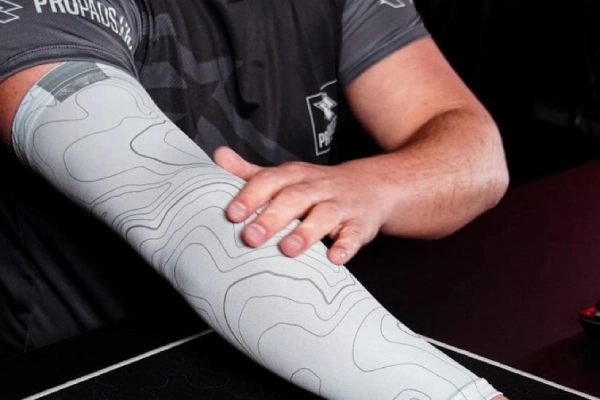
Sometimes the sleeve does not feel slow everywhere. It feels wrong in one specific place. That often points to seam placement or edge construction. A seam that sits right in the forearm contact path can create a local drag point that the rest of the fabric does not share. If that sounds familiar, read how gaming sleeve seam design changes glide. That article focuses on seam feel instead of broader surface interaction.
Coverage shape matters in a different way. Open-palm, thumb-hole, and full-hand designs do not create the same amount of contact. More coverage can improve sweat control and keep the contact more stable, but it can also increase how much fabric stays in the movement path. Less coverage may feel freer, but it can leave one drag zone untreated. If you want to compare those layouts directly, see open-palm, thumb-hole, and full-hand gaming sleeve coverage.
Some players also test long sleeves instead of a dedicated gaming sleeve. That can work in some setups, but it changes fabric feel, wrist transition, heat, and movement consistency. For a direct comparison, check whether a long sleeve can replace a gaming sleeve for FPS aim.
What can you do to make a gaming sleeve feel smoother on the right mousepad?
Most sleeve friction problems do not need a full setup reset. In many cases, a few targeted changes are enough.
The most useful fixes usually come from cleaner contact zones, lighter forearm pressure, better surface matching, and more suitable sleeve construction. The goal is not to change everything. The goal is to remove the biggest source of drag first.
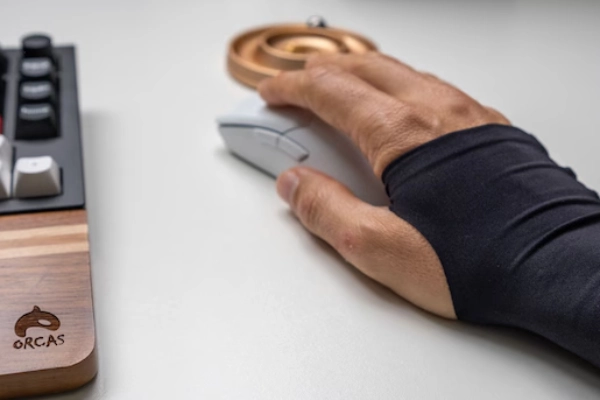
Start with the easy fixes. Clean the mousepad area where your forearm usually sits. Clean the sleeve. Then test the same movement again. That removes two of the most common causes right away. If the feel improves, you already know the problem was not just the sleeve fabric.
Then match the fix to the symptom. Start-up stickiness usually points to contamination, pause-start behavior, or a rougher surface. Heavy long swipes are more often linked to forearm pressure, contact area, and pad type. When the drag gets worse over a longer session, sweat and skin oil are usually part of the problem.
After that, look at the surface match. Some players simply need a pad that is friendlier to sleeve use. Others need a sleeve design that keeps less material in the contact path. So what does this mean for you? Fix the setup in steps. Test one change, keep the movement pattern the same, and judge the result before moving on.
What should brands test before launching a gaming sleeve for different mousepad users?
A sleeve that feels good in one setup can fail in another. That is why surface testing matters more than smooth-sounding fabric claims.
The better question is not “Does this sleeve feel smooth in one sample test?” The better question is “Does it stay smooth across different pads, different pressure levels, and repeated use?”
A good sleeve should be checked on smooth cloth, rough cloth, hybrid pads, and harder surfaces. A product that works well on one category may not give the same result on another. That is where mismatch complaints usually start.
Pressure testing matters just as much. Light touch and hard anchoring can produce very different feedback. If a sleeve only feels right when pressure stays low, that should be understood before launch. Real players do not move with one fixed force.
Repeat-use consistency also matters. Sweat exposure, wash cycles, and contact-zone buildup all change how a sleeve feels over time. A sleeve should still behave well after real use, not only out of the package. Construction details such as seam location, cuff hold, wrist transition, and coverage design should be tested as part of that full surface match.
If you want a buyer-facing view of how those choices can look in production, review custom gaming sleeve manufacturing options.
Conclusion
A gaming sleeve feels slow when the sleeve, surface, pressure, and contact path stop working together. The best fix is to test the cause first, then change the right variable.
FAQ
Yes. Smooth fabric alone does not guarantee smooth glide. Mousepad texture, sweat, worn contact zones, and forearm pressure can all change how the sleeve actually feels.
That usually points to start-up drag. Small movements reveal resistance faster, especially after stopping, sweating, or playing on rougher and more textured surfaces.
Not always. Some players like the added control. But rougher cloth surfaces are more likely to create noticeable sleeve drag than smoother cloth pads.
Yes. Mouse glide and forearm glide are different contact systems. A pad may feel quick under the mouse while still feeling rough under the sleeve.
Often, yes. More pressure usually means more contact and more resistance. That becomes easier to notice on textured, worn, or sweat-affected mousepads.
Not right away. The problem may come from the pad surface, contamination, pressure, or the way the setup is being used. A few simple tests usually reveal the source.
Yes. Sweat, skin oil, and dust can change the contact feel a lot. Cleaning the sleeve and the mousepad often improves consistency more than many players expect.